Vibe Code with us · Learn

Vibe Coding Course
Now is the best time to learn AI. Vibe Coding Course will hand-hold you through the process we follow in order to develop effective and efficient solutions.
Enquire about the next batch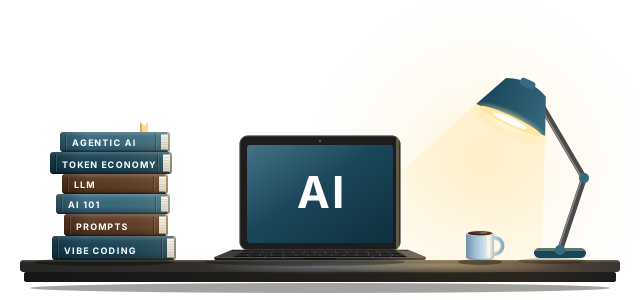
Who Is This For
Are you tired of paying Shopify subscription?
We will help you build an ecommerce store that looks exactly like your current Shopify site. And will also teach you how to transfer that domain. So that you don't have to pay the hefty fees of Shopify per month.
Still updating WordPress manually?
With the help of AI tools you can build an exact replica of your WordPress. And get out of the WordPress trap that it is. No more slow sluggish admin panels. No more plugin management. No more doing stuff like it is 1990.
BYOT - Build Your Own Tool (Website / App / Software)
Build Your Own Tool and never pay another subscription to any tool ever again. You can build any tool that you use and pay for on a daily basis. Sky is the limit.
Why this course?
There is a gap, between the people who are into tech and the people who are not. With the introduction of AI that gap has gone so far ahead. People who understand tech can do so much more. While that need not be the case.
Artificial intelligence just like any other piece of tech democratises software building. Earlier only people who could code had this power. Now everyone has the same power.
This gap is only a gap of perception, once you understand basics and fundamentals of 4 different fields.
- Programming
- Design
- Marketing
- MBA
Course Content
- Day 01
Webapp
- Day 02
Website
- Day 03
3D Website (Three js)
- Day 04
Text Animation (GSAP)
- Day 05
Design Basics
- Day 06
Typography
- Day 07
Design Research
- Day 08
Hermes, Claude Setup
- Day 09
Github Setup
- Day 10
Local AI
- Day 11
HTML, CSS, Javascript
- Day 12
Token Economy
- Day 13
Image and Video Generation
- Day 14
Branding vs Marketing
- Day 15
Ideation Class
- Day 16
Excel Sheet
Frequently Asked Questions (FAQs)
Do I need to know coding before joining?

No. That is the beauty of vibe coding. You just need to have understanding of what goes on in the background. Which is exactly what we provide.
What will I have built by the end?
By end of the course, you will have built up to 4 projects with fully functioning interface and backend. If you are absolutely new to computers. We recommend only focus on 1 project and improve it with every class.
Is vibe coding a real skill or a shortcut?
Both. AI removes a lot of typing. But you have to know the limits of the tech in hand. So having an understanding of how tech works on every level is how you get good at vibe coding. Most people will say -"knowing what to build, how to judge the output" is a real skill. But that you always did.
It is knowing the limits that makes you good at vibe coding. A limit is always about where something starts and till where it can be extended.
How do I join and what are the fees?
Reach out through our contact page and we will share the schedule, fees and format of the next batch.
Ready to start building?
Leave your details and we will reach out about the next batch of the Vibe Coding Course.
More ways to Vibe Code with us
Vibe Code with us
See everything we offer around vibe coding.
← Back to overview 0.2Vibe Coding Service
Rather have us build it? We design and vibe code your product for you.
View service → 0.3Vibe Code Clean Up Specialist
Already built something with AI? We make it secure, fast and production ready.
View clean up →Looks like you broke our lamp
When you eliminate the developer from the picture, you can come up with creative stuff like this. And save a lot of money.
Time to Build Your OwnThank you!
We will contact you shortly about the next batch.